Your Gear, Your Sound, Your Stage.
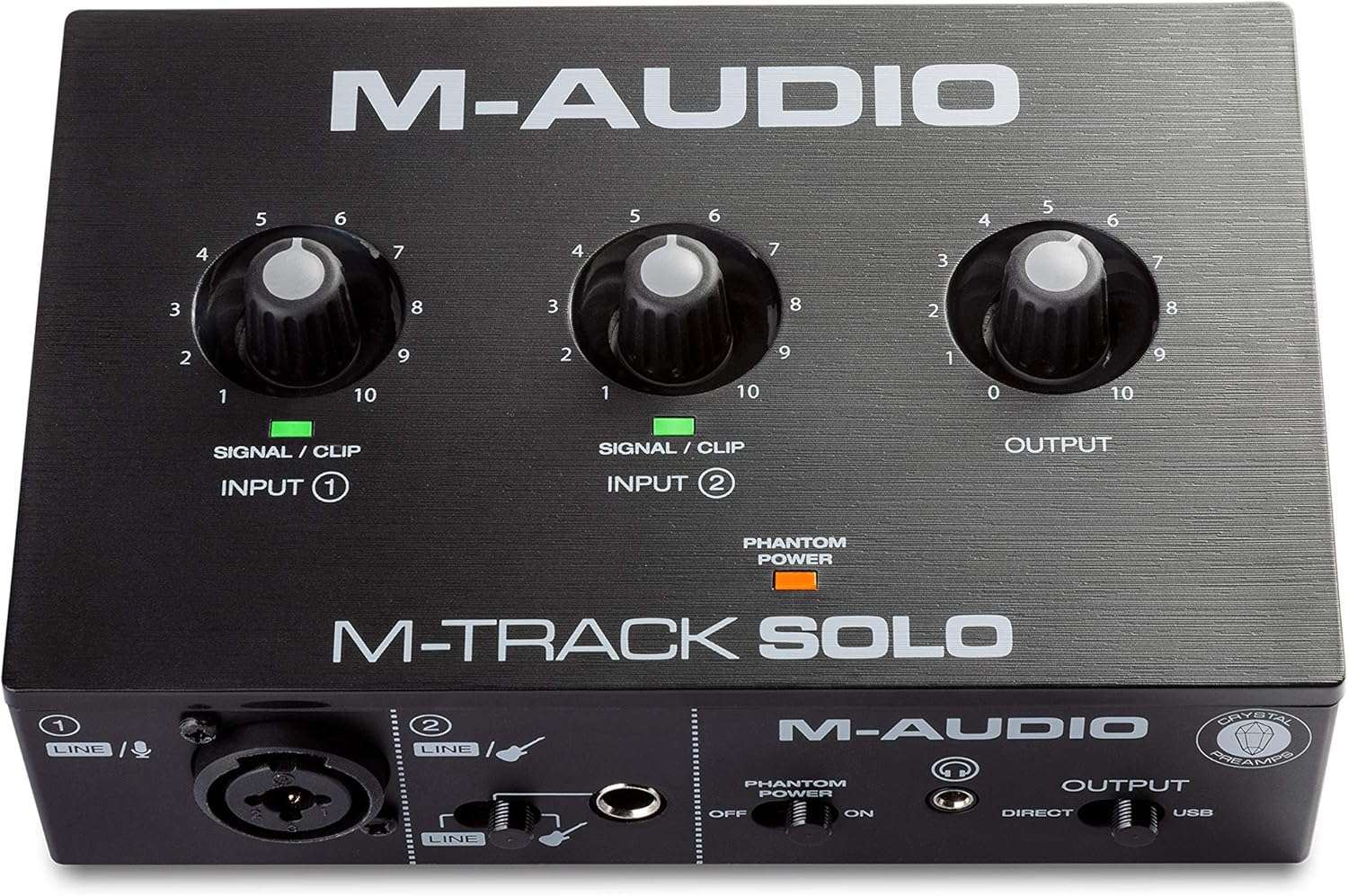

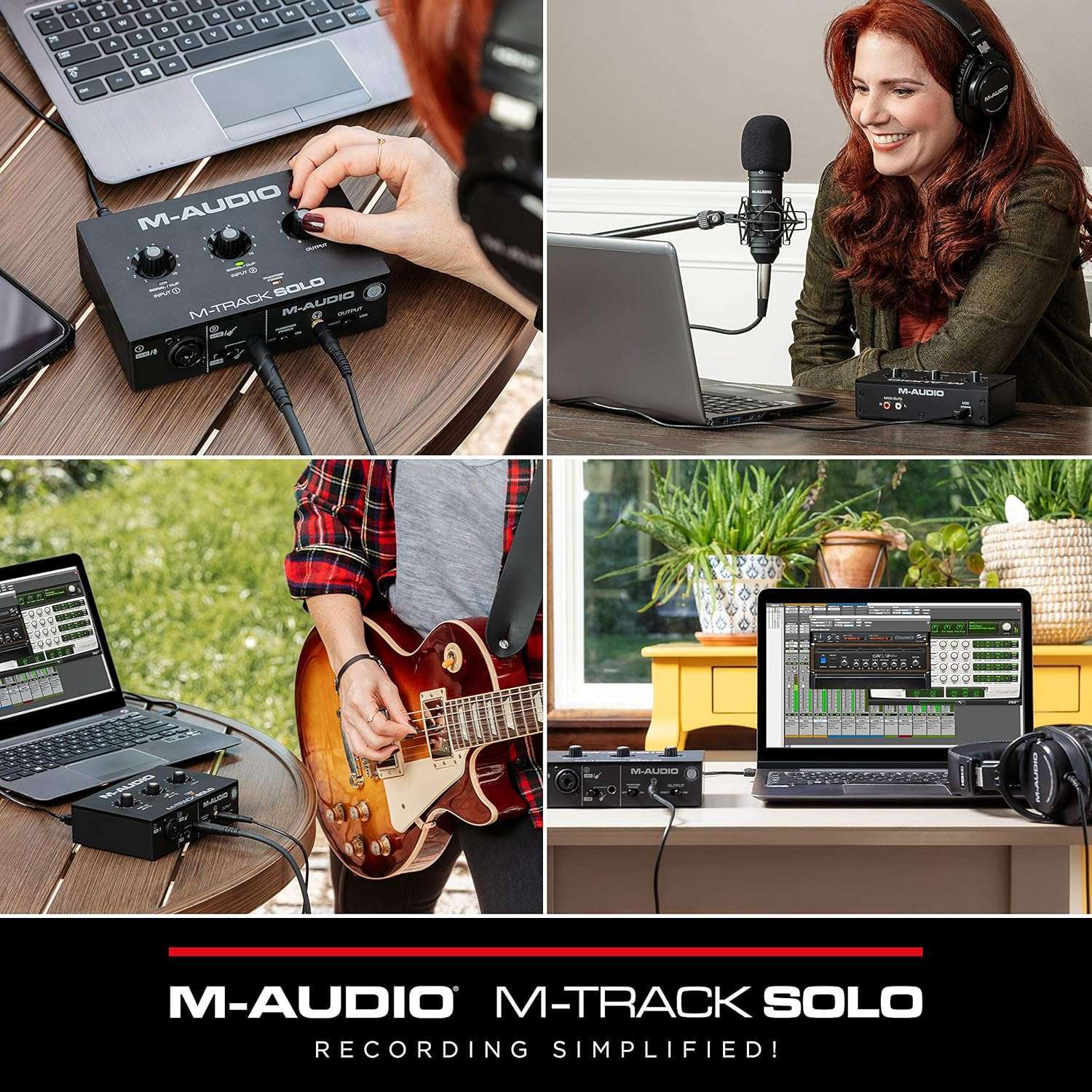
M-Audio M-Track Solo: Versatile USB Audio Interface for Recording, Streaming & Podcasting
$49.00
“When you click on a product link on our site and make a purchase, you’ll be redirected to Amazon.com to complete your transaction. As an Amazon Affiliate, we earn a small commission from qualifying purchases at no additional cost to you. This helps support our site and allows us to continue providing great content. Thank you for your support!”
" When you click on a product button or link on our website and make a purchase, you'll be redirected to a secure retailer website to complete your transaction. We have partner with some of the best online musical retailers. As an Affiliate, we earn a small commission from qualifying purchases at no additional cost to you. This helps support our website and allows us to continue providing great content. Thank you for your support! "
Description
M-Audio
Product Overview: M-Track Solo – Crystal Clear Audio in a Compact Design
Key Features:
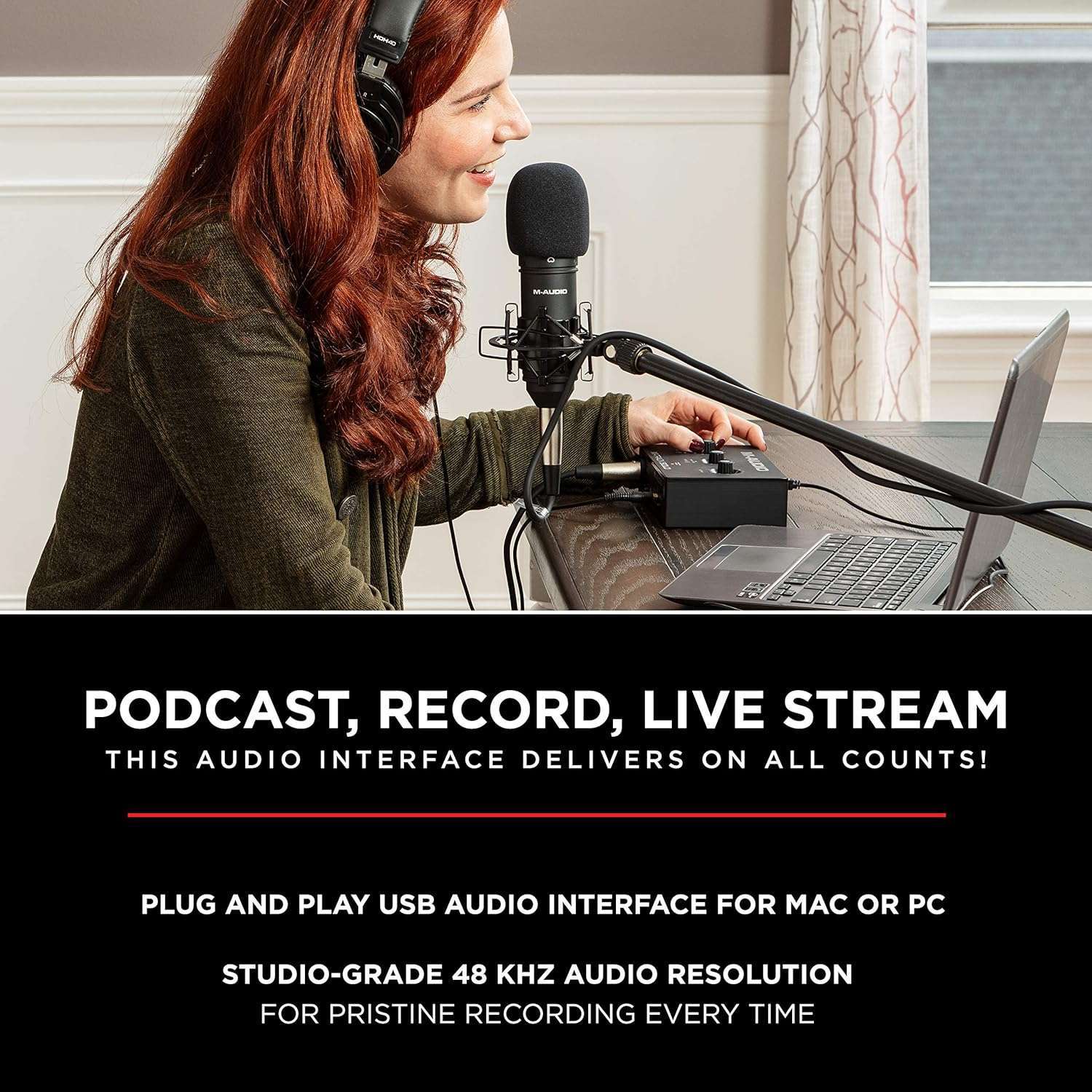
- 48 kHz Audio Resolution: Delivers superior sound quality in a portable format, perfect for music creation on both Mac and PC.
- Crystal Preamp with Phantom Power: A combo input with a Crystal Preamp ensures optimal sound quality for any microphone, including condenser mics.
- Versatile Inputs: Features one combo XLR/Line input with phantom power and one dedicated Line/Instrument input, catering to guitars or other instruments.
- 2-Channel Recording: Allows simultaneous use of both line inputs to capture sound from stereo devices like digital pianos and drum machines.
- USB Powered: Eliminates the need for an external power supply, enhancing portability for on-the-go recording sessions.
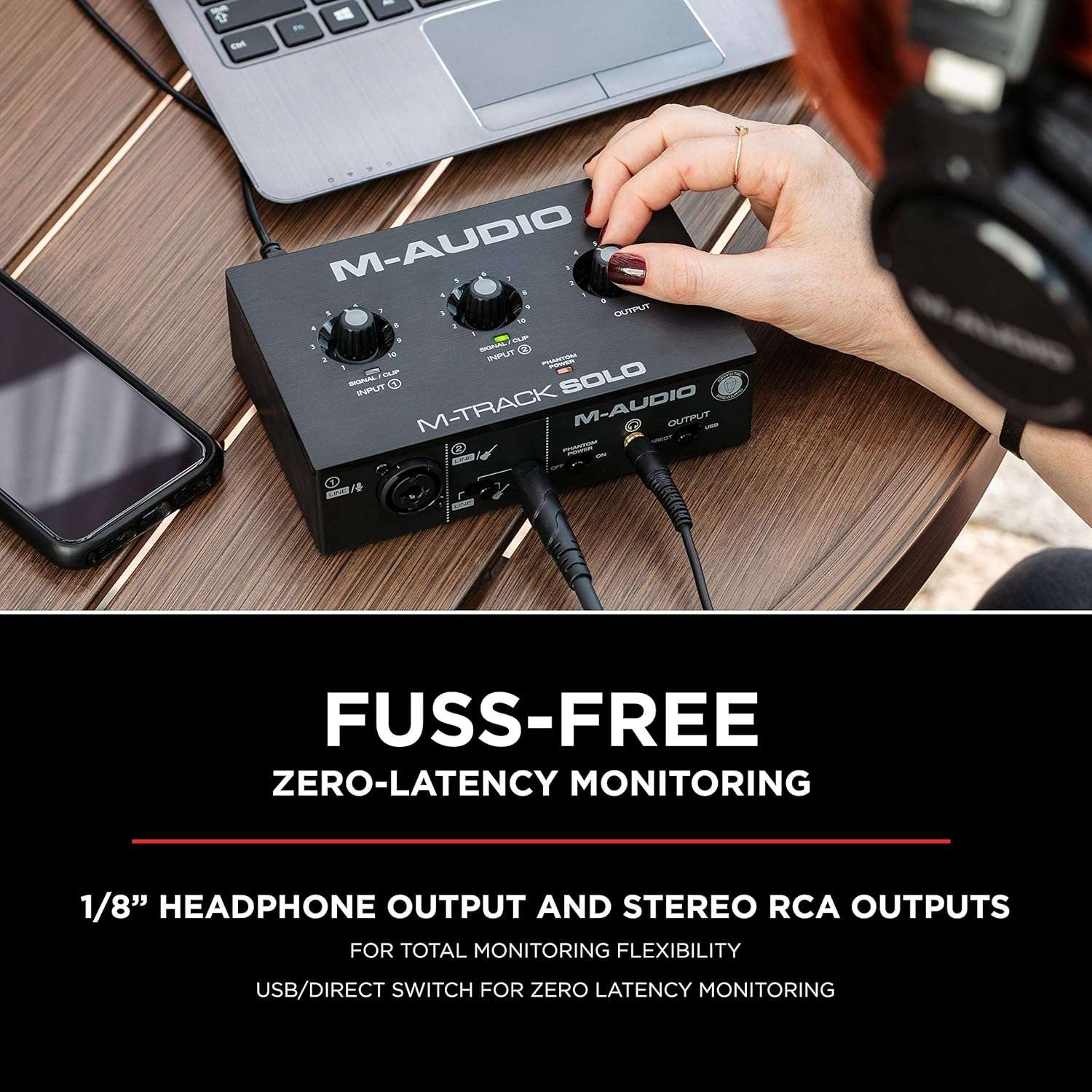
- Direct Monitoring & Headphone Connection: Zero-latency monitoring with main RCA outputs and a 1/8” headphone output; USB/Direct switch allows for easy balance adjustments between direct inputs and computer playback.
- Comprehensive Software Package: Comes with MPC Beats, providing essential production tools to start recording immediately.
Pros and Cons:
Pros:
- Highly portable and easy to use, making it ideal for mobile recording.
- High-quality audio resolution for pristine sound capture.
- Compatible with a wide range of microphones and instruments.
- USB-powered, reducing cable clutter and enhancing convenience.
- Comes with robust software to kickstart your recording projects.
Cons:
- Limited to two input channels, which might not suffice for larger recording sessions.
- May lack some advanced features found in higher-priced interfaces.
Customer Feedback: ⭐⭐⭐⭐⭐
- 5-Star Rating: "The M-Track Solo has been a game-changer for my home studio setup. It’s incredibly easy to use, and the sound quality is fantastic. The portability is a huge plus since I love recording on-the-go. The included software made the whole experience seamless. I highly recommend it for anyone looking to up their recording game without breaking the bank!
These reviews are for the M-Audio M-Track Duo USB Audio Interface. Reviewers express appreciation for its user-friendly design, versatility, and affordability. The device accommodates various audio inputs, making it suitable for beginners and those embarking on home recording projects. Pairing well with different software and audio sources, customers note that it effectively delivers quality sound without noticeable latency.
Several reviews point out a few areas for consideration:
-
Build Quality: The casing is plastic, which some find less durable than metal alternatives.
-
Input Pot Sensitivity: A common observation is the non-linear gain control taper, which becomes very sensitive toward the higher end of the range (about 90% to 100%), causing sharp increases in loudness and challenges with clipping.
- Sound Alteration: Some users perceive a difference in sound quality when using the headphone port compared to plugging headphones directly into a computer.
Despite these minor issues, the general consensus is positive, with many users impressed by its functionality, especially considering the price point. It serves as an excellent entry-level option for those interested in recording audio.
10 reviews for M-Audio M-Track Solo: Versatile USB Audio Interface for Recording, Streaming & Podcasting
You must be logged in to post a review.
Related products

Behringer U-Phoria UM2 USB Audio Interface
Original price was: $43.90.$35.00Current price is: $35.00.
Focusrite Scarlett Solo 3rd Gen USB Audio Interface: Studio-Quality Sound for Guitarists, Vocalists, and Podcasters
Original price was: $129.99.$99.99Current price is: $99.99.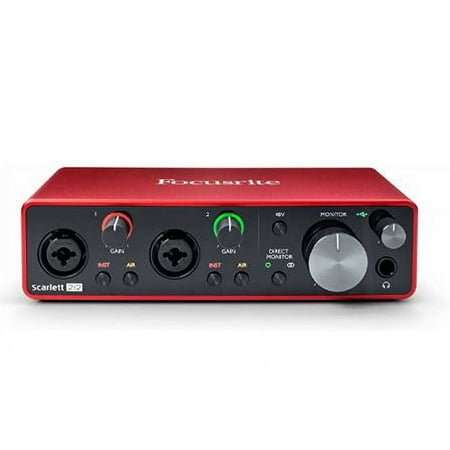



Raynna –
Easy to use beginning device
I got the 48kHz/1 XLR input. This requires no software to actually use this but in the User Guide, they do have software you can download for different music-related things, if that’s what you got it for. Works with even the most cheap XLR cables you can find (I’m using XLR cables from some old, cheap, and spare ‘microphone + boom arm + XLR ‘ kit). I got this for my Shure MV7 (NOT the +; this came out the model I bought did) and it works perfect with it.There is a slight crackling when you set up and especially when you connect to Discord but it largely goes away with a noise gate software. The design is easy to figure out with some tweaking.
SunSun88 –
Love it! It works!
You have no idea how excited I was to be able to record guitar into my DAW software (mpc beats). It took a little to get it right but I figured it out and it sounds fantastic! Thank you M Audio for providing a great product at an incredible price !
Jumpingjackjim –
The M-Audio M-Track Duo USB Audio Interface is exactly what I searched for at a good price.
The M-Audio M-Track Duo USB Audio Interface fit my needs perfectly. I searched for awhile, fretting between this dual channel model and the FocusRite Scarlett solo channel, which cost around $30 more. I’m relatively new to recording and editing music, also learning the open-source free software from Audacity (not provided by M-Audio) at the same time. This M-Audio pairs up with a self-designed and built lapsteel guitar that runs through a bunch of mid-priced pedals. The signal exits a DI (direct in) box via XLR cable and then pumps into a 2000’s 175 watt JBL pro stage monitor/amp (15 in woofer, ported midrange and a peaky tweeter when up close; found two at Goodwill)) that is monitored by the The M-Audio M-Track Duo USB Audio Interface. My laptop and the Audacity software handle the processing, recording and editing chores. The signal (all quiet and clean throughout the whole hardware/software interface) is returned to the JBL (the amp has two 1/4 inputs and one each XLR in and out) in a loving manner with great sound. In fact, I can run my Beat Buddy Mini 2 drum pedal directly through it on a separate channel OR record it in the mix. Between the pre-amped DI box, the Crystal pre-amp in the The M-Audio M-Track Duo USB Audio Interface, and the JBL amp, there is plenty of power for sound! I’ve also used it to successfully pull backing tracks from online sources. I’m stoked! The slightly less fantastic: As others have noted, the input channel pots do not have a well-designed linear taper, so the signal is almost all or none (mine mostly sits at the 9 to 9.5 point) so clipping is hard to avoid. Add in the worn-out pots in the JBL (will replace shortly) with high power and I’m just a bit frustrated. So far I’m able to compensate in editing. Ease-of-setup, near-perfect interface with Audacity and Windows 11, low-noise high-performance output and a budget-friendly price have really set the The M-Audio M-Track Duo USB Audio Interface in a class by itself! Note: I do not play professionally, gig, or leave the house with this so I can’t attest to its durability or suitability for rough situations.
Carter Thomas –
Good enough, doesn’t provide quite enough gain
Packaging – Comes with everything you need, including the cable to plug into a computer. It comes with a paper with the information about the free software you get from buying it. I haven’t tried it though.Build quality – Fine, no metal. Completely plastic box.Noise – I don’t hear any buzz or hiss when monitoring with my headphones, even with gain all the way up.Inputs – Good, having 2 XLR ports in this price seems pretty good compared to others. Headphone port alters sound a bit using it on my PC, so I only use it for direct monitoring. I don’t use the speaker outputs on the back either, so can’t comment on that.Design – Good, I like the small size. I put it underneath a little lift on my desk that my monitors are on, and it slides under nicely. But since the knobs are on top it’s not very easy to adjust them, but I never need to.I only use this to plug my Shure SM57 into, and I don’t hear any noise or buzz of any kind when monitoring my microphone with my headphones.I also have to have the gain all the way up for my SM57 to be loud enough, and even then I’d like it to be a little louder. But even with the gain all the way up there’s no noise or buzz of any sorts.I tried plugging a guitar into it but I didn’t switch it from line to guitar mode, so maybe that’s why it didnt sound very good. I’m too lazy to test it again right now.When you get the gain knob to 90% and greater, the gain gets extremely sensitive. 95% – 100% is a huge jump in loudness. I’ve seen other people say that too, so I’m not sure why it does that.I don’t require the phantom power for anything so I can’t comment on that.When plugging my headphones into it to use it on my computer, it seems like it alters the sound compared to when I just plug my headphones directly into my computer, and I don’t like it as much, so I don’t use it for that.The direct monitoring is good though, no latency or anything. I’m not sure if the monitoring knob is sensitive like the gain because I have no reason to turn it that high.
Honest reviews –
It’s cool entry level interface.
Took some time getting used to the volume levels but learning and now it’s works great.I used it with BandLab and also reaper. Very useful ! Everything I need and nothing I don’t. Great for recording vocals and guitar and bass I’ve even connected a synth directly to the line in!
Alpha –
Vorteile/Nachteile:+ Einfache Bedienung+ Gute Klangqualität+ Vielseitige Anschlüsse- Kunststoffgehäuse könnte stabiler sein- Mitgeliefertes USB-Kabel etwas billigIch bin echt begeistert von diesem kleinen Interface! Die Klangqualität ist für den Preis top und das Phantomspeisung für mein Kondensatormikro funktioniert einwandfrei. Im FL Studio kann man problemlos VSTi’s spielen. Die Verzögerung ist bei ca. 6 ms, was gar nicht merkt.Nur das Gehäuse hätte etwas hochwertiger sein können – fühlt sich ein bisschen wackelig an. Aber für den Einstieg ist das M-Track Solo auf jeden Fall zu empfehlen!
Locky B. –
Pour ma premiere interface audio, mon choix s’est porté sur celle-ci, il convient parfaitement à mon utilisation.Je peux connecter une guitare et une basse, et c’est détecté par mon logiciel GarageBand sur mon MacBook. J’ai plus de précision de jeu sur Yousician.C’est petit et pratique.
Amazon Customer –
I got the M-audio Duo (was actually classified as used supplied by Amazon). I’m new to the world of audio interfaces, just wanted something so I could record the midi output from my digital piano and then play it back. I’m using an iPad 9th gen with a powered usb hub and also tried it on my phone (xiaomi note pro) and a Lenovo tablet. Works brilliantly on the ipad and phone, no noticeable lag. Not so good on the Lenovo, sound is lagging terribly, but that’s got to be an issue with the Lenovo not the interface.Sound is good as I need it to be, no unwanted noises etc. As for being used, it looks brand new to me. So all in all very happy with the purchase and would highly recommend it.
Khalid Ibrahim –
It works just fine and is easy to set up
Dexter Ong –
Has the bump from 9.5 to 10 on Input 1 but everything else is as expected.